Complaint Resolution Workflow Automation

Complaint Resolution Workflow Automation for Faster, Transparent Support

Handling customer complaints shouldn’t feel like firefighting every day. Yet, for many Indian businesses, especially growing SMEs and large enterprises with distributed teams, complaint resolution is still managed through emails, spreadsheets, phone calls, and manual approvals.

The result? Missed follow-ups, delayed responses, frustrated customers, and teams constantly under pressure.

If your support or operations team is juggling multiple complaint channels—email, WhatsApp, call center logs, or website forms—without a structured system, you’re not alone. This is exactly where Complaint Resolution Workflow Automation becomes critical.


The Real Problem with Manual Complaint Handling

Most companies don’t start with broken processes. But as volume increases, what once worked becomes chaotic.

Here’s what typically happens:

  • Complaints are logged in different places (email, CRM, Excel)
  • Assignments depend on people remembering tasks
  • Approvals take time because stakeholders are not aligned
  • Updates are inconsistent or delayed
  • Customers keep following up because they don’t get visibility

In India, where businesses often operate across multiple cities and languages, these inefficiencies multiply quickly.


Key Challenges in Complaint Resolution

1. Scattered Complaint Data

Customer issues come from multiple sources—emails, call logs, website forms, and even social media. Without a unified system, tracking becomes difficult.

2. Delayed Response Times

Manual assignment and follow-ups lead to delays. A complaint might sit unnoticed for hours or even days.

3. Lack of Accountability

When multiple teams are involved, it’s unclear who owns the resolution. This leads to internal confusion and external frustration.

4. Repetitive Manual Work

Teams spend time entering data, updating spreadsheets, and sending status emails instead of solving actual problems.

5. No Real-Time Visibility

Managers struggle to track:

  • Pending complaints
  • SLA breaches
  • Resolution timelines

This affects decision-making and service quality.

6. Compliance and Audit Issues

Industries like banking, insurance, and telecom in India require proper complaint tracking and reporting. Manual systems often fail during audits.


What is Complaint Resolution Workflow Automation?

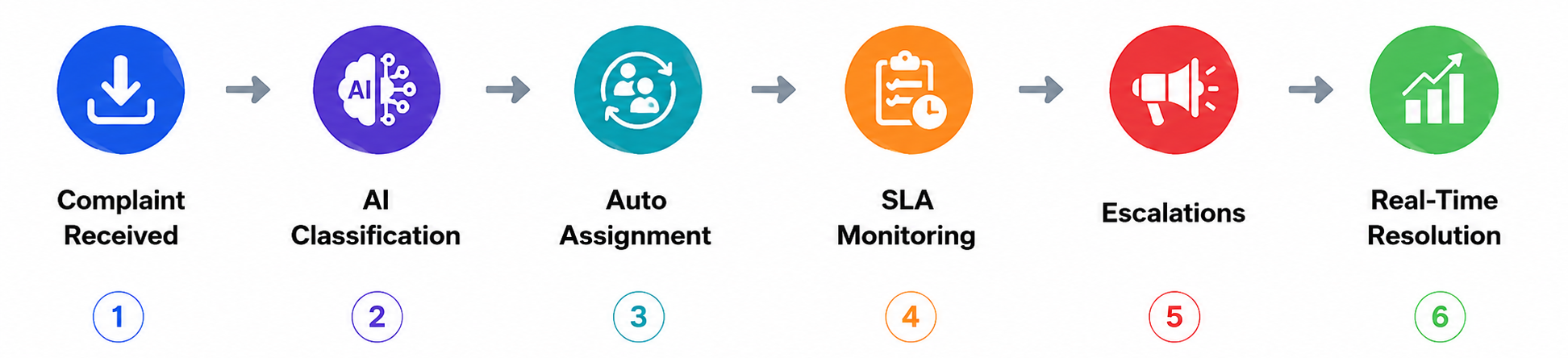
In simple terms, Complaint Resolution Workflow Automation means creating a structured, rule-based system that automatically manages how complaints are received, assigned, tracked, and resolved.

Instead of depending on manual effort, the system:

  • Captures complaints from multiple channels
  • Assigns them to the right team automatically
  • Sends alerts and reminders
  • Tracks progress in real time
  • Ensures timely resolution

It brings consistency, speed, and transparency to your support process.


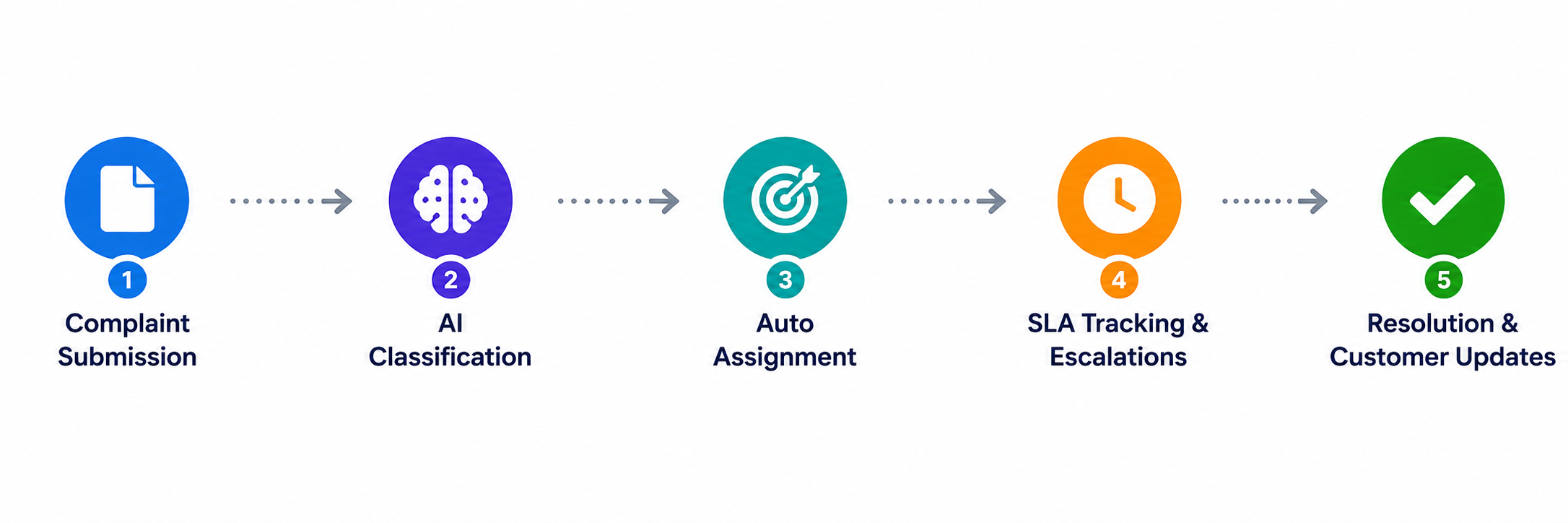
How It Works: A Step-by-Step Example

Let’s take a real-world scenario from an Indian e-commerce company.

Step 1: Complaint Submission

A customer submits a complaint through:

  • Website form
  • Email
  • Customer support call

The system automatically captures all details.


Step 2: Data Extraction & Classification

Using document/data automation:

  • Complaint type is identified (delivery issue, refund, product defect)
  • Customer details are extracted
  • Priority is assigned based on rules

Step 3: Auto Assignment

The system assigns the complaint to:

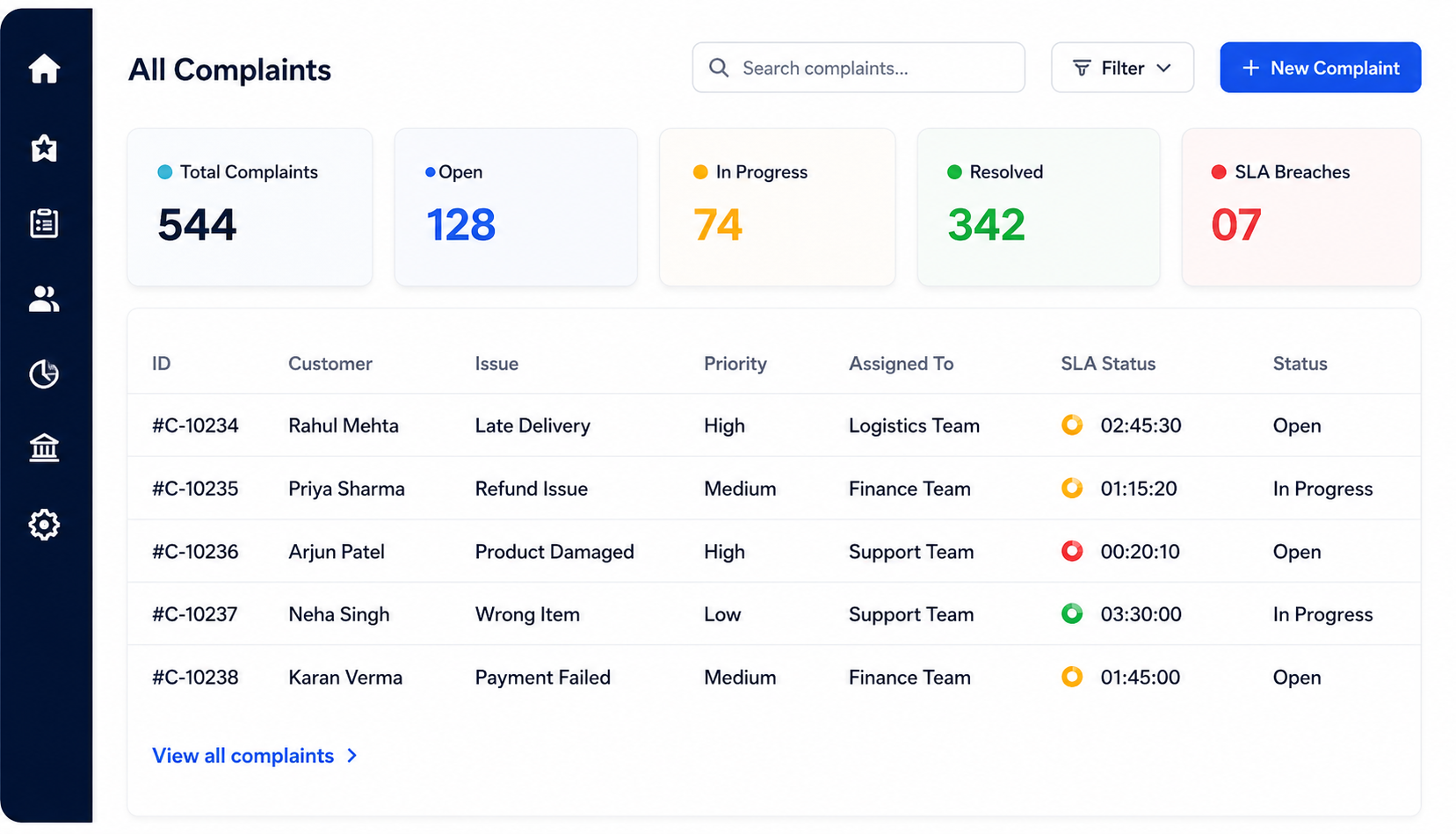
  • Logistics team (for delivery issues)
  • Finance team (for refunds)
  • Customer support team (for general queries)

No manual intervention required.


Step 4: SLA Tracking & Notifications

  • A timer starts based on predefined SLA (e.g., 24–48 hours)
  • The assigned team gets notifications
  • Reminders are sent if deadlines are approaching

Step 5: Approval Workflow (if needed)

If a refund above ₹10,000 is requested:

  • The system routes it to a manager for approval
  • Approval happens digitally, without email chains

Step 6: Resolution & Customer Update

  • Issue is resolved
  • Customer gets automated updates via SMS/email
  • Status is marked as closed

Step 7: Reporting & Insights

Management can view:

  • Average resolution time
  • Number of open complaints
  • SLA compliance
  • Team performance

A Smarter Way to Handle Complaints

To make this practical and scalable, businesses are turning to integrated automation platforms.

Workflow Automation with Snoh Flow

Snoh Flow helps design and manage end-to-end complaint workflows without complex coding.

You can:

  • Create custom complaint handling processes
  • Define rules for assignment and escalation
  • Set SLA-based triggers
  • Monitor workflows in real time

It ensures that every complaint follows a structured path—from creation to closure.


Document & Data Automation with Snoh Fusion

Complaints often involve documents:

  • Invoices
  • Order details
  • Customer forms
  • Emails

Snoh Fusion automates data extraction and processing from these documents.

This means:

  • No manual data entry
  • Faster classification of complaints
  • Reduced human errors

Together, these tools create a complete Complaint Resolution Workflow Automation system that is both efficient and reliable.


Benefits of Complaint Resolution Workflow Automation

When implemented correctly, the impact is measurable.

1. Faster Resolution Times

Automated routing and alerts reduce delays.

  • Up to 40–60% faster complaint resolution

2. Reduced Manual Effort

Teams spend less time on repetitive tasks.

  • 50% reduction in manual data entry

3. Improved Customer Satisfaction

Quick and transparent responses build trust.

  • Higher retention and positive feedback

4. Better SLA Compliance

Automated tracking ensures deadlines are met.

  • Significant drop in missed SLAs

5. Real-Time Visibility

Managers can track performance instantly.

  • Better decision-making
  • Improved accountability

6. Error Reduction

Automated data handling minimizes mistakes.

  • Up to 80% fewer manual errors

Use Case: Before vs After Automation

Scenario: A Mid-Sized Insurance Company in India

Before Automation

  • Complaints logged via email and Excel
  • Manual assignment by team leads
  • Delays in approvals for claims
  • No clear tracking of pending issues
  • Customers repeatedly calling for updates

Result:

  • Average resolution time: 5–7 days
  • High customer dissatisfaction
  • Frequent SLA breaches

After Implementing Complaint Resolution Workflow Automation

  • All complaints captured in one system
  • Auto-assignment based on complaint type
  • Approval workflows digitized
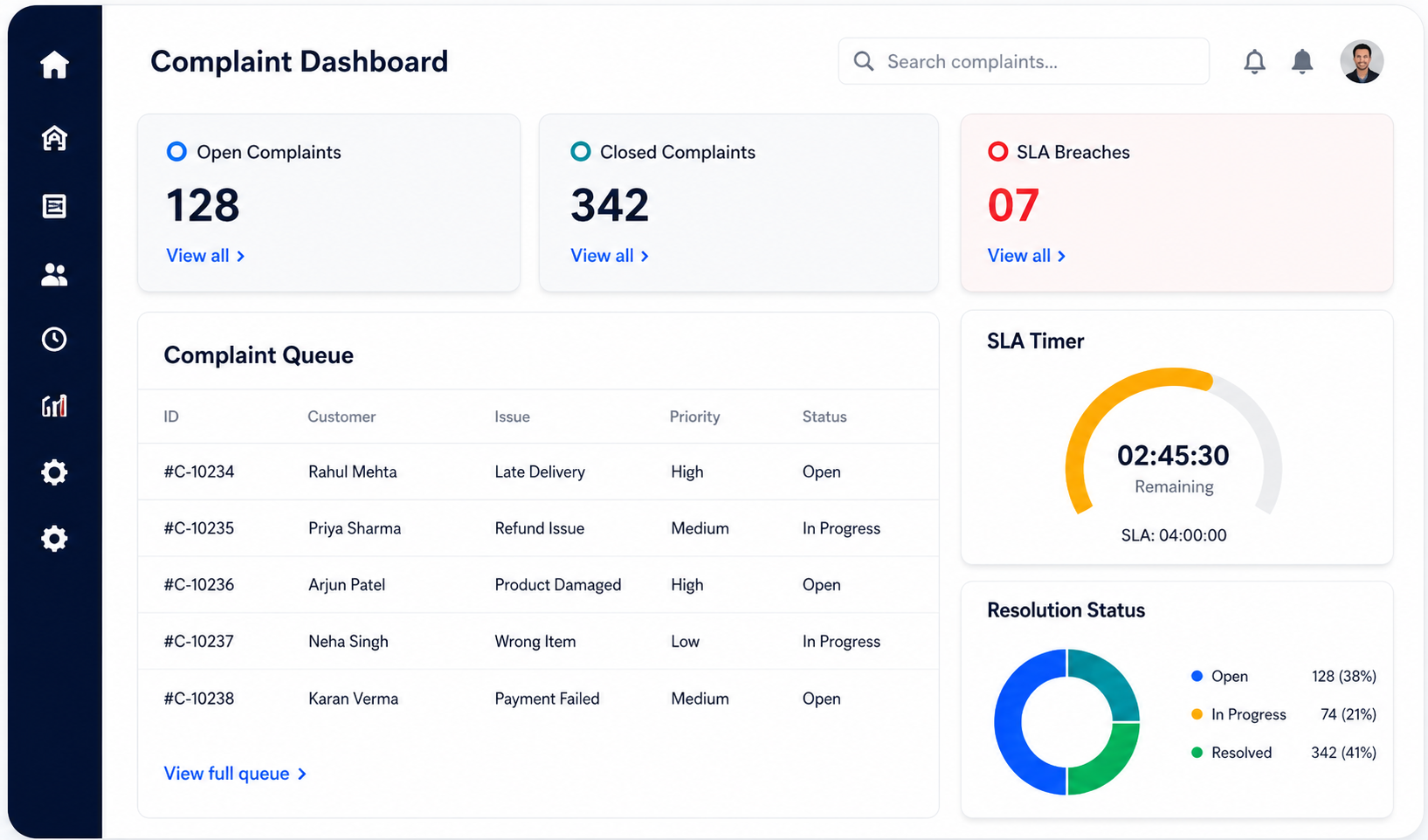
  • Real-time dashboard for tracking
  • Automated customer notifications

Result:

  • Resolution time reduced to 2–3 days
  • Improved SLA compliance
  • Significant reduction in follow-up calls
  • Better team productivity

Why This Matters for Indian Businesses

In India, customer expectations are rising rapidly. Whether you’re in:

  • E-commerce
  • Banking & Financial Services
  • Healthcare
  • Telecom
  • Logistics

Customers expect quick, transparent resolutions.

At the same time, businesses are dealing with:

  • High complaint volumes
  • Distributed teams
  • Regulatory requirements

Manual processes simply cannot keep up.

Complaint Resolution Workflow Automation bridges this gap by making operations scalable and consistent.


Conclusion: From Chaos to Control

Handling complaints doesn’t have to be reactive and stressful.

With the right automation in place, you can:

  • Bring structure to your support processes
  • Reduce delays and errors
  • Improve customer experience
  • Empower your operations team

What used to take days can now happen in hours—with full visibility and control.


Get Started with Smarter Complaint Handling

If your team is still managing complaints through emails and spreadsheets, it’s time to upgrade.

Explore how Complaint Resolution Workflow Automation can transform your operations with tools like Snoh Flow and Snoh Fusion.

Book a demo or start a free trial today to see how automation can simplify your complaint resolution process and improve customer satisfaction from day one.

Scroll to Top