
If your finance team is still manually typing invoice data into spreadsheets, chasing approvals over email, or drowning in a backlog of paper documents — you’re not alone. But here’s the hard truth: manual invoice processing is one of the most expensive, error-prone, and time-consuming tasks in modern business operations.
In 2025, companies are under increasing pressure to do more with less. Budgets are tighter, compliance requirements are stricter, and customers expect faster turnaround times. Yet, many organizations are still relying on outdated workflows that slow them down, introduce costly errors, and leave their teams frustrated.
This blog will walk you through why manual invoice processing is holding your business back, what modern alternatives exist, and how Intelligent Document Processing (IDP), specifically solutions like Snoh Fusion — can transform your accounts payable operations without the usual sales pitch.
The Real Cost of Manual Invoice Processing
Let’s start with the numbers. According to industry research, processing a single invoice manually can cost anywhere from $12 to $30, depending on your organization’s size and complexity. Multiply that by hundreds or thousands of invoices per month, and you’re looking at a significant drain on resources.
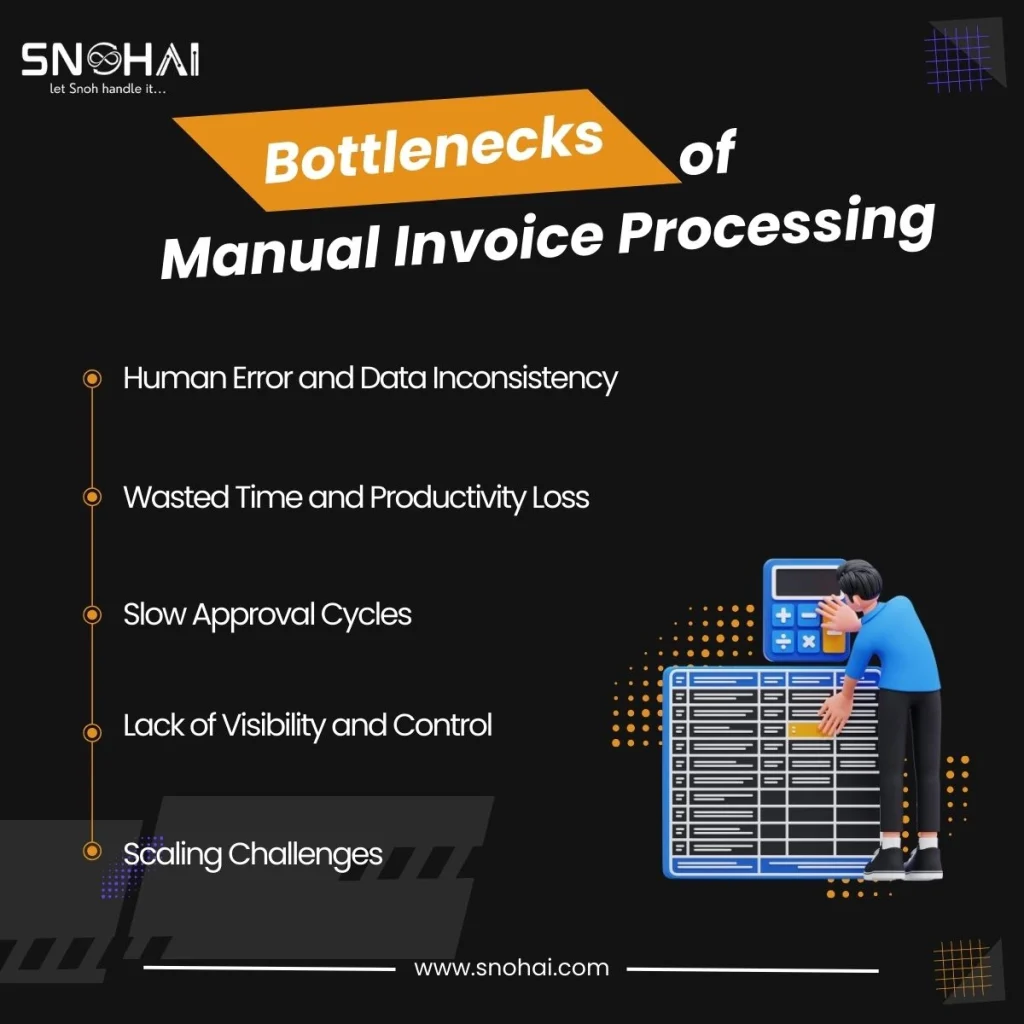
But the financial cost is just the tip of the iceberg. Here’s what manual invoice processing really means for your business:
1. Human Error and Data Inconsistency
When employees manually enter invoice details — vendor names, amounts, dates, line items — mistakes are inevitable. A misplaced decimal, a typo in a vendor code, or a missed field can lead to payment errors, compliance issues, or vendor disputes. Studies suggest that manual data entry has an error rate of 1-4%, which may sound small until you realize that means 10 to 40 errors per 1,000 invoices.
2. Wasted Time and Productivity Loss
Your AP team didn’t sign up to be data entry clerks. Yet, they spend hours each week extracting information from PDFs, matching invoices to purchase orders, and hunting down missing approvals. This takes time away from strategic work like cash flow management, vendor relationship building, and fraud detection.
3. Slow Approval Cycles
Manual workflows often involve printing invoices, routing them for approvals, scanning them back into the system, and following up via email. This can take days — or even weeks — delaying payments and damaging supplier relationships.
4. Lack of Visibility and Control
Without automation, it’s hard to track where an invoice is in the approval pipeline, who has reviewed it, or whether it’s been paid. This lack of transparency leads to duplicate payments, missed early payment discounts, and compliance headaches during audits.
5. Scaling Challenges
As your business grows, so does your invoice volume. But manual processes don’t scale. Hiring more people to handle the workload is expensive and unsustainable. Eventually, something breaks — either quality, speed, or employee morale.
Why Traditional Methods Fall Short
You might be thinking, “We use OCR software, so we’re covered, right?” Not quite.
Traditional invoice OCR (Optical Character Recognition) tools can read text from scanned documents, but they struggle with:
- Unstructured or semi-structured documents: Invoices come in all shapes and sizes. OCR tools often fail when layouts vary or when documents are handwritten, tilted, or low-quality.
- No contextual understanding: OCR can extract text, but it doesn’t “understand” what it’s reading. It might pull the wrong field or misinterpret a date format.
- No validation or business logic: Once the data is extracted, you still need to validate it, match it to POs, check for duplicates, and route it for approval, all manually.
Similarly, spreadsheet-based workflows or email chains are fragile, error-prone, and impossible to scale. They lack audit trails, version control, and real-time collaboration.
The bottom line? Traditional methods were built for a different era. Today’s businesses need smarter, faster, and more reliable solutions.
What Is Intelligent Document Processing (IDP)?
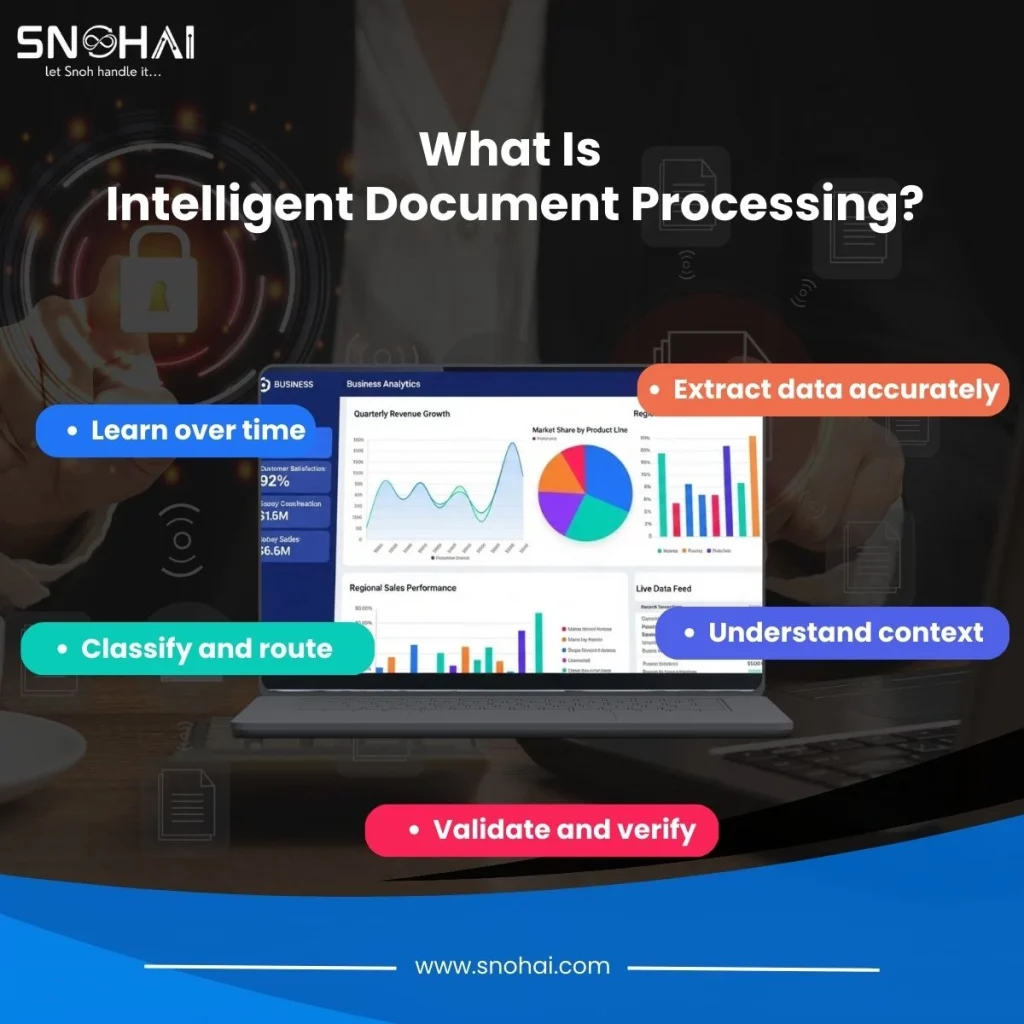
Think of IDP as the next evolution beyond basic OCR. Instead of just “reading” documents, IDP uses AI and machine learning to:
- Extract data accurately — even from complex, unstructured, or handwritten documents
- Understand context — recognizing what each field means (invoice number, date, total, line items, etc.)
- Validate and verify — cross-checking extracted data against business rules, purchase orders, or vendor databases
- Classify and route — automatically categorizing documents (invoice, receipt, PO) and sending them to the right workflow
- Learn over time — improving accuracy as it processes more documents
In simple terms, IDP automates the entire document lifecycle from capture to validation to integration with your ERP or accounting system.
And the best part? It handles invoices in any format: PDFs, images, scanned paper, emails, even photos taken on a smartphone.
Real-World Use Cases for IDP
Accounts Payable Automation is the most common use case, but IDP can handle much more:
- Invoice Processing: Automatically extract vendor details, line items, taxes, and totals — then match them to purchase orders and route for approval.
- PO and GRN Matching: Validate that goods received match what was ordered and invoiced, reducing discrepancies.
- KYC Document Extraction: Extract customer or vendor information from ID cards, bank statements, or registration documents for compliance.
- Logistics and Delivery Challan Digitization: Digitize delivery notes, proof-of-delivery documents, and transport records in real time.
- Contract Digitization and Compliance: Extract key terms, dates, and clauses from contracts for easier management and compliance tracking.
The Benefits and ROI of IDP
Switching to document processing software powered by AI isn’t just about cutting costs — it’s about transforming how your business operates. Here’s what you can expect:
Speed
IDP can process invoices 70–90% faster than manual workflows. What used to take hours now takes minutes — or even seconds.
Accuracy
With AI document extraction and built-in data validation, IDP achieves up to 99% accuracy, dramatically reducing errors and rework.
Cost Savings
By eliminating manual data entry, businesses can reduce operational costs by up to 50%, freeing up budget for more strategic initiatives.
Efficiency
Your team can focus on high-value tasks like vendor negotiations, fraud prevention, and financial analysis — not data entry.
Faster Approvals
Automated routing and real-time notifications mean invoices move through approval workflows faster, improving cash flow and vendor relationships.
Better Compliance
IDP creates a complete audit trail for every document, making it easier to stay compliant with tax regulations, GDPR, and internal policies.
Scalability
Whether you process 100 invoices a month or 10,000, IDP scales effortlessly without adding headcount.
How Snoh Fusion Simplifies Intelligent Document Processing
Now, let’s talk about Snoh Fusion. Think of this as a practical introduction to what modern IDP looks like in action.
Snoh Fusion is an AI-powered Intelligent Document Processing platform designed to handle the full complexity of invoice and document workflows. Here’s how it works:
- AI-Powered Extraction: Snoh Fusion uses advanced machine learning models to extract data from invoices, purchase orders, receipts, and more, regardless of format or layout.
- Automatic Field Validation: The system doesn’t just extract data; it validates it against your business rules, PO databases, and vendor records to catch errors before they become problems.
- Multi-Format Support: Whether you’re dealing with PDFs, scanned images, Excel files, or photos, Snoh Fusion handles them all.
- Seamless Integration: Snoh Fusion integrates with popular ERP, CRM, and document management systems, so your data flows smoothly into your existing workflows.
- Real-Time Insights: Dashboards and analytics give you visibility into processing times, bottlenecks, and compliance status — so you can make smarter decisions.
The goal isn’t to replace your team — it’s to empower them with tools that eliminate tedious work and let them focus on what matters.
Learn more about Snoh Fusion – AI-powered Intelligent Document Processing –
Frequently Asked Questions (FAQ)
What is manual invoice processing?
Manual invoice processing involves employees manually entering invoice details (vendor name, amount, date, etc.) into accounting systems, spreadsheets, or ERP software. It’s time-consuming, error-prone, and doesn’t scale.
Why is manual data entry risky?
Manual data entry is prone to human error, leading to payment mistakes, compliance issues, and wasted time on rework. Even small errors can have big financial consequences.
How does invoice OCR work?
Invoice OCR (Optical Character Recognition) scans invoices and converts printed or handwritten text into digital data. However, traditional OCR lacks context and validation, requiring manual review.
What is Intelligent Document Processing (IDP)?
IDP is an AI-powered technology that extracts, validates, classifies, and routes data from documents automatically. It goes beyond OCR by understanding context and applying business logic.
How does Snoh Fusion improve accuracy?
Snoh Fusion uses machine learning and automated validation to cross-check extracted data against business rules and databases, achieving up to 99% accuracy.
Which document formats does Snoh Fusion support?
Snoh Fusion supports PDFs, images (JPEG, PNG), scanned documents, Excel files, emails, and even smartphone photos.
Can Snoh Fusion integrate with my existing ERP?
Yes. Snoh Fusion is designed to integrate seamlessly with popular ERP, CRM, and document management systems, ensuring smooth data flow.
Is IDP secure for sensitive data?
Yes. Modern IDP platforms like Snoh Fusion use encryption, access controls, and compliance certifications to protect sensitive financial and business data.
How fast can IDP process invoices?
IDP can process invoices in seconds — up to 90% faster than manual workflows, depending on document complexity and volume.
What’s the ROI of switching to IDP?
Businesses typically see 50% lower operational costs, 80% reduction in manual entry time, faster approvals, and fewer errors — often paying back the investment in months.
Conclusion: It’s Time to Move Beyond Manual Workflows
Manual invoice processing isn’t just inefficient — it’s unsustainable in 2025. The costs, errors, and delays add up quickly, and traditional tools like OCR or spreadsheets can’t keep pace with modern business demands.
Intelligent Document Processing offers a smarter, faster, and more reliable way forward. By automating extraction, validation, and routing, IDP frees your team from repetitive work and gives you the speed, accuracy, and visibility you need to stay competitive.
Solutions like Snoh Fusion make it easy to get started — no massive IT overhaul required. Whether you’re processing 50 invoices a month or 5,000, the ROI is clear: lower costs, fewer errors, and happier teams.